Designing the waiting until feature


A little while ago, one of our users asked for snoozing: set a handled ticket aside and have it come back to the top of the inbox automatically at a time they pick. You reach for that constantly in support, whether you're checking back on a fix in a few days or following up on a sales question next week.
We liked it, so we built it. The feature is small, but the way you pick that time went through a few versions before it felt right, and that's the part worth sharing.
We started with a list of presets
The first version was the obvious one. A small menu with a handful of choices: later today, tomorrow, this weekend, next week, in a month. Anything else dropped you into a calendar.
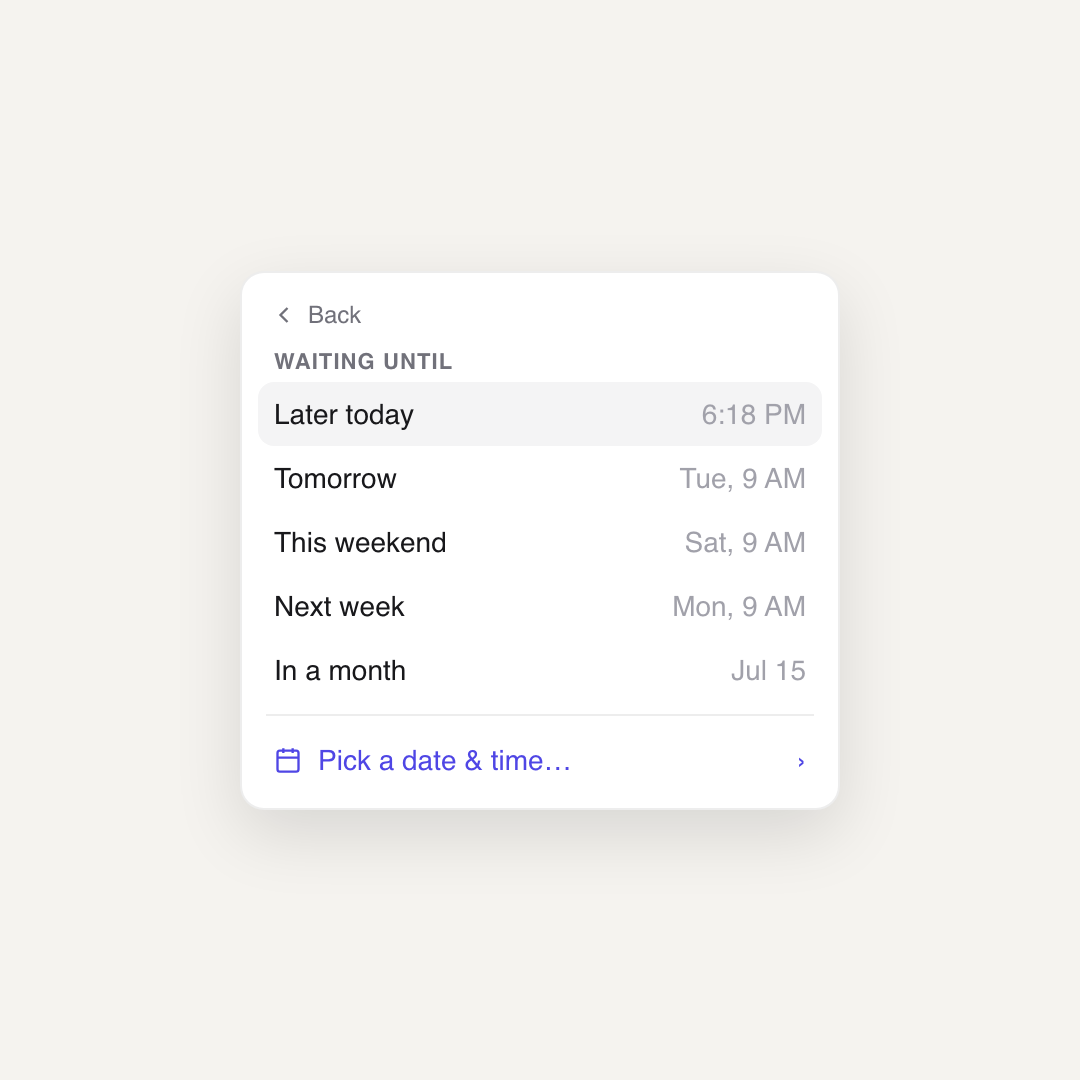
Plenty of tools ship exactly this, and it works. But using presets only cover the cases you thought of. The moment someone wants "next tuesday afternoon" or "the 23rd at noon", they fall through to the calendar, and now there are two completely different ways to pick a time in the same little menu.
Then we let you just type it
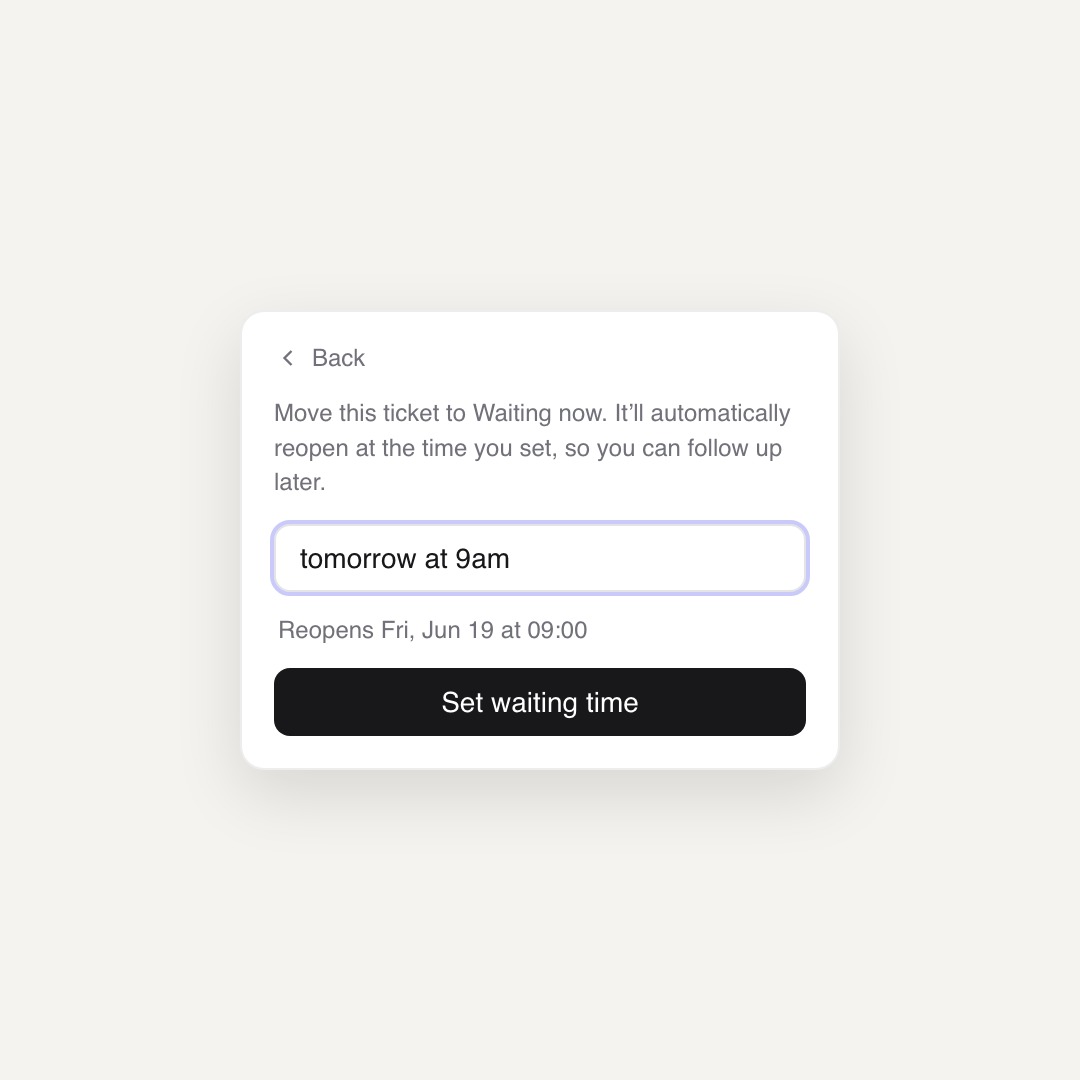
So we threw the hard coded list away and replaced it with a single text field. You write when you want the ticket back in plain language, "tomorrow at 9am" or "in 3 hours", and that's it.
Parsing human dates yourself is a swamp you don't want to wade into. There's a library that already does it well, chrono-node, and it carries the whole feature. Here's the core of how we use it:
import * as chrono from 'chrono-node';

function parseWhen(text: string): Date | null {
    if (text.trim() === '') {
        return null;
    }

    return chrono.parseDate(text, new Date(), { forwardDate: true });
}
That's the entire parser. parseDate returns a Date or null, so a failed parse is trivial to handle. The forwardDate option is the detail that makes it feel right: when the input is ambiguous, chrono resolves it into the future. Type "9am" after nine in the morning and you get tomorrow at nine, not a time that already passed today. For a snooze, the future is almost always what you mean.
The risk with free text is that people don't trust it. They type something and wonder what the computer actually understood. So under the field we show the parsed result back, "Reopens Fri, Jun 19 at 09:00", and we update it as you type. We debounce that preview so it settles after you pause instead of flickering on every keystroke, and we only show a validation error once you actually try to submit, never while you're still typing.
Recents bring back the one-click speed
Typing is flexible, but we gave up something when we deleted the presets: the single tap. Clicking "tomorrow" was faster than typing it. We wanted that speed back without bringing the hardcoded list back.
The answer was to remember what you type. Every phrase you confirm gets saved, and the next time you open the field they're waiting there as one-click options.
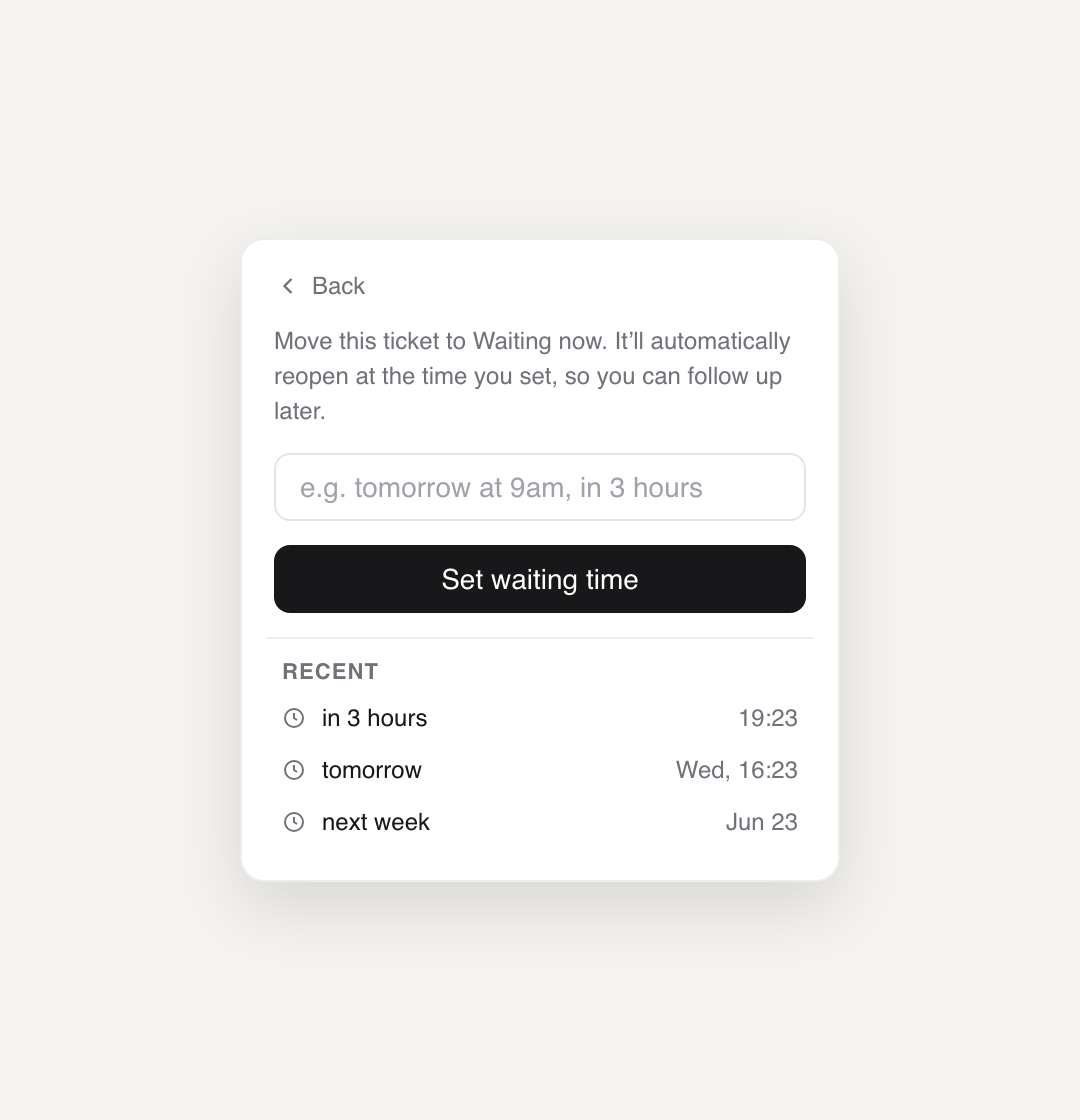
A few decisions went into that list. We keep three, deduplicated, so it stays short and doesn't fill up with near-identical entries. We sort them by their resolved time, soonest at the top, rather than by how recently you typed them, because when you're scanning for "the soon one" versus "the far one" the time is what you're after. And we store the phrase you typed, not the date it resolved to, then re-parse it on click. That way "in 3 hours" still means three hours from now the next time you use it, instead of pointing at a moment that's long gone.
The nice part is that the list becomes yours. If you always snooze things to "monday 9am", that's what sits at the top, not a generic option we picked for everyone.
It's live, and it came from you
Waiting until is available now for every There There workspace. Open a ticket, set it to Waiting, and type when you want it back.
If you're using There There and there's something you wish it did, tell us. There's a decent chance you'll see it in a post like this one.